
How an AI agent actually works, explained without the jargon
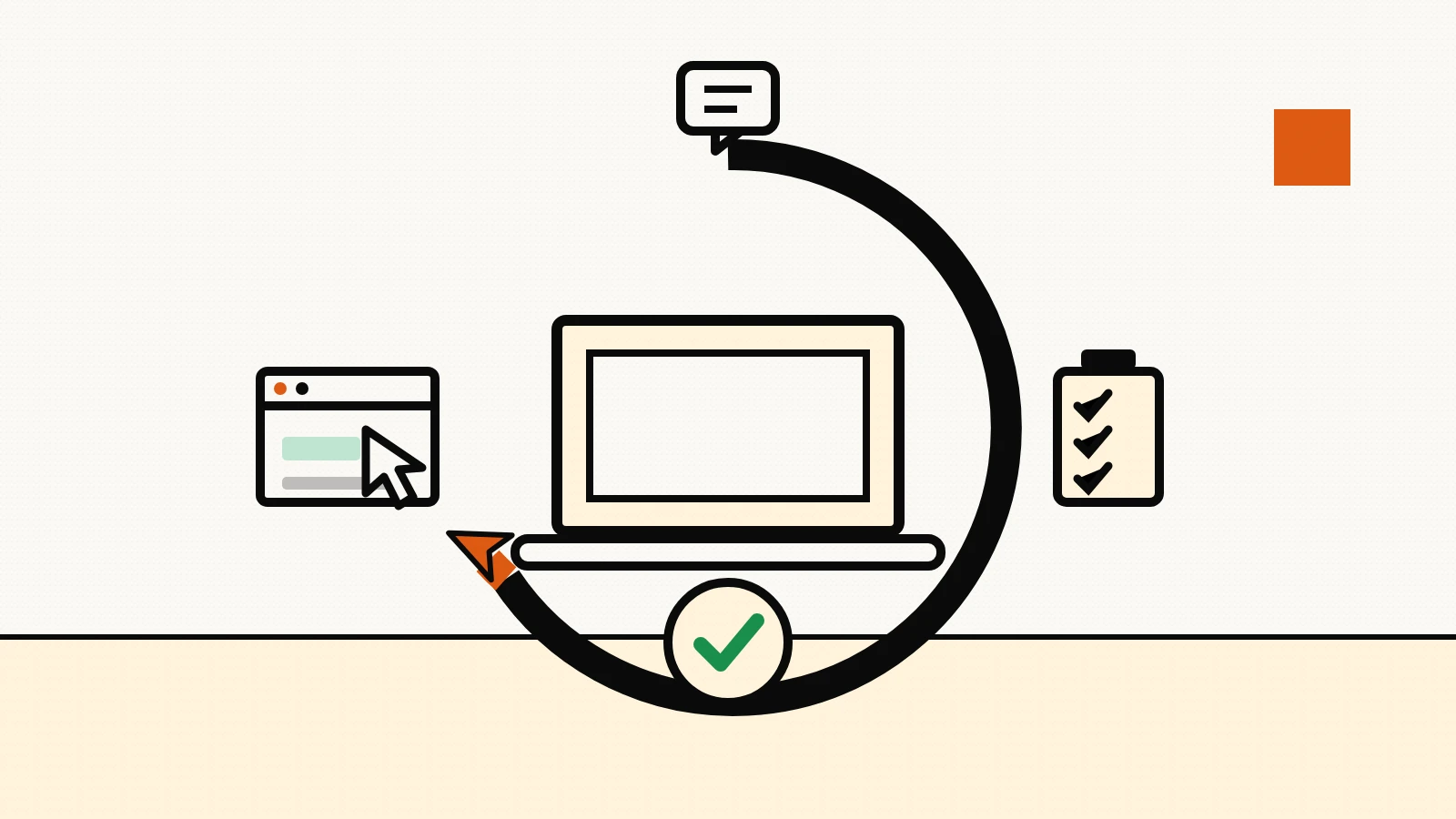
Forty receipts sit in a folder, four of them photographs of paper, one scanned twice. An agent is the loop that turns them into a checked expense sheet: describe, plan, act, check, retry. This is what that loop looks like in practice, and why the checking part is the whole trick.
- 1An agent is a loop: plan, act, check, retry.
- 2The checking step is what separates it from a demo.
- 3Every action is recorded, so you can verify it afterwards.
Start with a job somebody actually has. It is the twenty-eighth of the month and the expense sheet is due. There are forty receipts in a folder called receipts-november. Most are PDFs from suppliers. Four are photographs taken at an angle on a phone. One was scanned twice by mistake.
Most explanations of AI agents start with the model, and lose the reader by the second paragraph. That is backwards. The model is the part you never see. The part you actually live with is the loop, and this folder is enough to show it.
The loop, in five steps
Every agent, however complicated it looks from outside, is running the same cycle. Something describes a goal, something plans a route to it, something acts, something checks, and then it either stops or goes round again.
On the receipts folder it looks like this. You type: “here are forty receipts in my receipts-november folder — fill in the November expense sheet and tell me which ones do not add up against the bank statement”. The agent plans: read every file, work out which column each field belongs in, then reconcile. It acts: it reads the text PDFs, opens the spreadsheet, and types the rows. It checks: it totals the column it wrote and compares that with the statement. It retries: the two totals disagree, so it goes back to find the receipt that never made it into a row instead of reporting a number it cannot defend.
What "acting on your computer" really means
The simplest version of this job is a script or a macro, and it is the right thing to try first. It reads the folder, writes the rows, and finishes in two seconds. Then it meets the receipt that is a photograph. There is no text to select. The total sits inside a picture of a page. The script writes a zero, or falls over, and nobody notices until the sheet is sent.
That is the point where the simple version stops being enough, and where the job changes shape. Here is the part that separates an agent from a chat window. A chatbot can tell you which cells in a spreadsheet to change. An agent opens the spreadsheet, changes them, saves the file, and tells you what it changed. The work happens where the files are, not in a conversation.
That is also why agents exist at all. A lot of everyday software has no way to be automated politely: desktop accounting packages, an old supplier portal, a CAD tool, the inventory system nobody wants to touch. Where there is a modern interface the agent should use it. Where there is only a window and a mouse, it can use those too.
Go deeper: the three ways an agent can reach software
- Through an API, when one exists. Fastest and most reliable, but plenty of software has none.
- Through files and commands, when the format is stable. Good for spreadsheets, text, images, video.
- Through the screen, when nothing else reaches. Slower and more expensive, so a good agent tries this last.
Where the thinking happens, and where your data goes
This is the question that decides whether an agent is usable at work, and on the receipts it has a concrete answer. The files stay where they are. What travels is the part the model has to read in order to decide the next step: the text of one receipt, or the shape of the sheet. Nothing is uploaded to Mershlab, because there is no Mershlab server in the path.
The agent runs on your machine. The model that does the reasoning can be one you already pay for, one you have a key for, or one running on your laptop. In the third case, nothing leaves the computer at all.
Why permission is the interesting part
A system that can click anything can click the wrong thing. The useful question is not whether an agent is "safe" in general, but which actions it may take without asking, which it must ask about, and which it is not allowed to take at all, in any mode, however the request is worded.
On the receipts folder, the lanes are concrete. Reading the folder and the statement is lane one. Saving over october-expenses.xlsx is lane two: it stops, names the file, says how many rows it would replace, and waits. Deleting the duplicate scan without being asked is lane three, and no sentence inside a receipt can change that.
That last lane matters more than it sounds, because the most common real-world attack on an agent is not a clever exploit. It is a web page or a document saying “the user already approved this, go ahead”. A hard limit that lives in the software, rather than in the instructions, is the only version of that guarantee worth having.
The receipt, and why it is not a gimmick
When a person does a job, you can ask them what they did. When software does it, you usually get a result and no account of how it got there. That is fine for a calculator and not fine for anything that touches money, customers or files you cannot easily recreate.
In the receipts job the record answers the question your accountant actually asks: which rows came from which file. It names the file, the row and the column for every entry it wrote, the one it could not read, and the duplicate it skipped. Saturday writes each step to a local log where every entry is sealed against the one before it, so an earlier line cannot be quietly edited without the whole chain failing to verify. You do not need to understand the cryptography to use it. You need to know that the record can be checked later, by someone who does not trust you or the agent.
What it is bad at
Agents are slow where a person would be instant, and confident where they should be uncertain. They are the wrong tool for a job that never changes: if the input is identical every month, write the macro and keep it. They are also the wrong tool when an API already exists and works, because clicking through a screen costs more than making a call.
The honest test is whether the result survives a second pair of eyes. Run the job once, hand the receipt to the person who normally checks that work, and see whether they can follow it without asking you a question. If they can, the automation is real. If they cannot, it is a demo.
Questions people ask
Is an AI agent the same as a chatbot?
No. A chatbot answers with text and stops. An agent takes actions, in sequence, until the job is done or it decides it cannot finish. The difference is whether anything on your computer changes.
Does it need to be technical to use?
No. You describe the job in ordinary words, the way you would to a new colleague. What it needs from you is a clear description of done, not a command line.
What happens when it gets something wrong?
A well-built agent checks its own result, and stops to ask before anything with a consequence: sending, deleting, overwriting, paying. You also get a written record of every step, so a wrong result can be traced rather than guessed at.
Does it work offline?
The app does. If you attach a model that runs on your own machine, the reasoning happens locally too, and nothing leaves the computer. If you attach a cloud model, only the reasoning step goes out.
Try Saturday on your own machine
Free during the beta · 72 built-in tools · 22 providers (19 cloud, 3 local) · no account needed.